

Introducing the New HPCF3 Web Portal – Now in Beta!
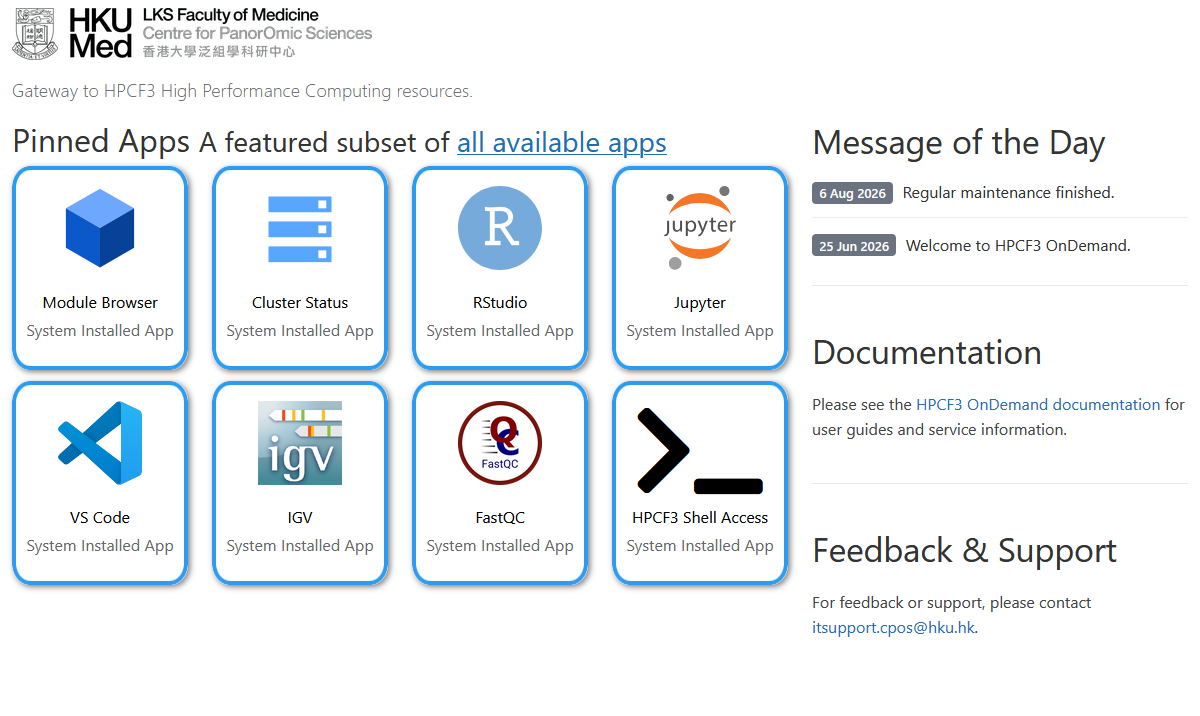
You can now access a growing range of HPCF3 services directly from your web browser — launch interactive applications such as RStudio and Jupyter, browse installed software, check real-time cluster utilization, view your own jobs, and access HPCF3 documentation, all in one place.
Powered by Open OnDemand, the new portal is designed to make HPCF3 more accessible and convenient, while providing a graphical, web-based alternative for many common HPC tasks.
The portal currently includes:
- HPCF3 Interactive Apps – launch commonly used applications directly from your web browser, with computing resources allocated through the HPCF3 cluster. Currently available applications include:
- FastQC
- IGV
- Jupyter
- RStudio
- VS Code
- HPCF3 Module Browser – quickly search and browse software packages and versions installed on HPCF3, together with their corresponding toolchains and module information.
- HPCF3 Cluster Status – see the current cluster workload and resource utilization at a glance, and check the status of your own jobs.
- HPCF3 Documentation – access user guides, instructions, and other useful information for working with HPCF3.
Try it now!
Access the HPCF3 Web Portal at:
https://hpcf3-portal.cpos.hku.hk/
Simply log in using your HPCF3 login credentials.
For more information about Open OnDemand and how to use the interactive applications, please refer to:
https://hpcf3-portal.cpos.hku.hk/documents/openondemand/
As the portal is still in beta, we would love to hear what you think. Please explore the new services and let us know about any issues you encounter, features you would like to see, or additional applications that would be useful to you. Your feedback will help shape the portal as we continue to improve it.
We hope you enjoy this new way of accessing HPCF3, and we look forward to your feedback!


